Complementary Color

Find the color that sits opposite the target.

Pick the color directly opposite the target on the color wheel.

How this game actually plays

What you are looking for

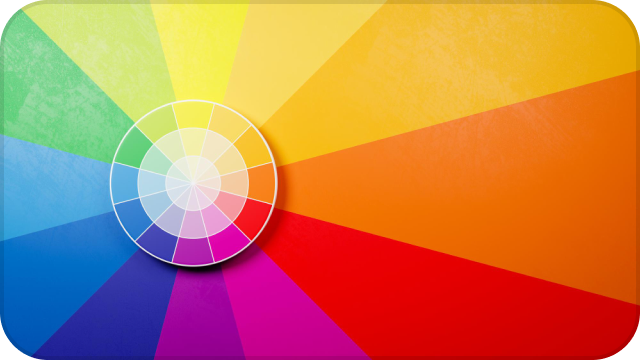
Complementary Color shows a target and four options. Pick the swatch opposite the target on the hue wheel — roughly 180 degrees away — not a near match and not a lighter version of the same color. After you pick, the expected opposite is outlined. New targets keep the same four-choice layout.

How the difficulty moves

Four options remain. Decoys include near hues and sometimes a lighter or grayer cousin of the target, which tempts a match instead of an opposite. Later targets are new hues, not a new rule.

What a score is

Correct opposites out of the rounds you played. It measures whether you can aim across the wheel on this screen, not whether you can mix paint. A miss is often a near-match decoy, not a random tap.

Common mistakes

Choosing a similar color because it looks related is the trap. Related is the trap. Look for the hue that would sit across a wheel, even if it feels less pretty next to the target. If you keep picking neighbors, name the target's hue first, then jump. A complement sits opposite, not beside, and not above or below in lightness. If the target is a deep teal, the opposite is a warm red-orange family, not a lighter teal. Four choices will usually include that temptation. Point at the opposite family first with your eyes, then tap.

On this sitting

Opposite is a hue jump, not a contrast of light and dark. A pale cousin of the target is almost always a decoy. Name the target's family first — red, teal, violet — then look for the family across the wheel. Four options stay four options; only the target travels. Scoring is a count of those opposite hits. It will not match Color Matching, which never asks for an opposite, and it will not match Name That Color, which never asks you to jump the wheel.

Keeping the sitting honest

Stay on this page until the round is finished rather than bouncing to another game mid-score. The controls you just used are the whole rule set; nothing is hiding in a settings panel. If a result surprises you, replay once on the same screen before you change rooms or devices. That second sitting is the only comparison this site can honestly support. Everything else — other phones, other people, other times of day — is a different experiment. Use Play again or Next round from the same seat. The copy on this page describes this game only; it is not a template with the title swapped.

What changes as you play?

Targeton the left
Oppositehue on the wheel
Scorekeeps adding

You are picking the opposite, not a near match.

New targets keep the same four-choice layout.

Make a small color journey.

These three routes are only suggested sequences. You can open any of the sixteen games on its own, leave a route halfway, or skip the pairing entirely. Each game keeps its own score on this screen and this sitting. Nothing here adds those scores into a combined rank, a skill grade, or a color-vision result. Play the first game to notice one kind of judgment, then the second to see how that judgment changes when the task is slightly different.

notice

Notice more.

Start at a color-name boundary, then hunt for a single off tile.

Blue or Green? asks you to name a turquoise as one familiar word or the other. Spot the Different then asks you to find a single off tile among many similar ones. Start with the naming game so you feel how a hue can sit on a boundary; then hunt for a tile that is only a little off. The first game is about the word you choose. The second is about a visual difference with no name attached.

hold

Hold the shade.

Remember one color, then rebuild another with the previews hidden.

Color Memory shows a target, hides it, then offers six close options. Blind Sliders hides the mix as well, so you rebuild from hue, saturation and lightness numbers only. Do memory first: you still see the choices. Then try blind mixing, where even your own swatch is gone until you reveal it. One task is recognition among near-misses. The other is reconstruction with no preview. Completing both shows whether you hold a shade better when you can compare, or when you mix it unseen.

work

Work with color.

Put hues in order, then mix a match with three sliders.

Hue Sorting keeps two end tiles fixed and asks you to swap the middle until the gradient is smooth. Color Matching keeps the target visible and lets you drag three sliders until the mix agrees. Sort first so you feel the slope between two anchors; then mix a single target by hand. Ordering is about relative steps. Matching is about landing on one destination. After the pair you can see whether you are steadier at arranging hues or at steering HSL onto a sample that stays on screen.

Before you compare scores

A score on Hue Shuffle is a count of what happened in this browser, on this display, in this room. Brightness, color temperature, night mode, True Tone, and the kind of panel you are looking at all change how close two colors appear. The same round on a phone and a laptop is not the same stimulus.

Room light and viewing angle matter as much as the hardware. A window behind you, a warm lamp, or glare on glossy glass can hide a difference that was obvious a minute earlier. Sit still relative to the screen if you want two runs to be comparable at all.

Fatigue and attention move the result even when the device does not. A long session, a second monitor, or playing while distracted will scatter your answers. Repeating the same game on one device, with similar light, is the only comparison that has much meaning here.

Do not treat another person's score, or a score from a different phone, as a measurement of your vision. These games are for noticing how you judge color in the moment. They are not a medical exam, not a color-blindness test, and not a calibrated lab result. If you only have a minute, remember three things: same device, similar light, no medical story. Everything else on this page expands those three.

Which challenge should you try next?

Compare how this game asks you to look, then open a neighbor if you want a different kind of judgment.

GameWhat you doWhat makes it differentMain focus
Complementary ColorFind the opposite hueYou pick the opposite hue, not a near match.Complementary relationships
Name That ColorPick a color nameYou pick a common English name, then see the expected answer.Color vocabulary
Color StroopAnswer based on ink colorThe written word is a decoy; you name the ink.Handling word interference
Hue SortingBuild a smooth gradientEnd tiles stay fixed while you swap the middle of a gradient.Color ordering
Spot the DifferentFind one subtly different tileThe odd tile hides in a growing grid with a shrinking gap.Small color differences
Complementary ColorComplementary relationships

Find the opposite hue

You pick the opposite hue, not a near match.

Name That ColorColor vocabulary

Pick a color name

You pick a common English name, then see the expected answer.

Color StroopHandling word interference

Answer based on ink color

The written word is a decoy; you name the ink.

Hue SortingColor ordering

Build a smooth gradient

End tiles stay fixed while you swap the middle of a gradient.

Spot the DifferentSmall color differences

Find one subtly different tile

The odd tile hides in a growing grid with a shrinking gap.

Explore all games

Keep looking closer.

View all